
Figma tools for data and content
As a core developer at divRIOTS, I built six Figma plugins from the ground up. The company’s tools reached over two million users.
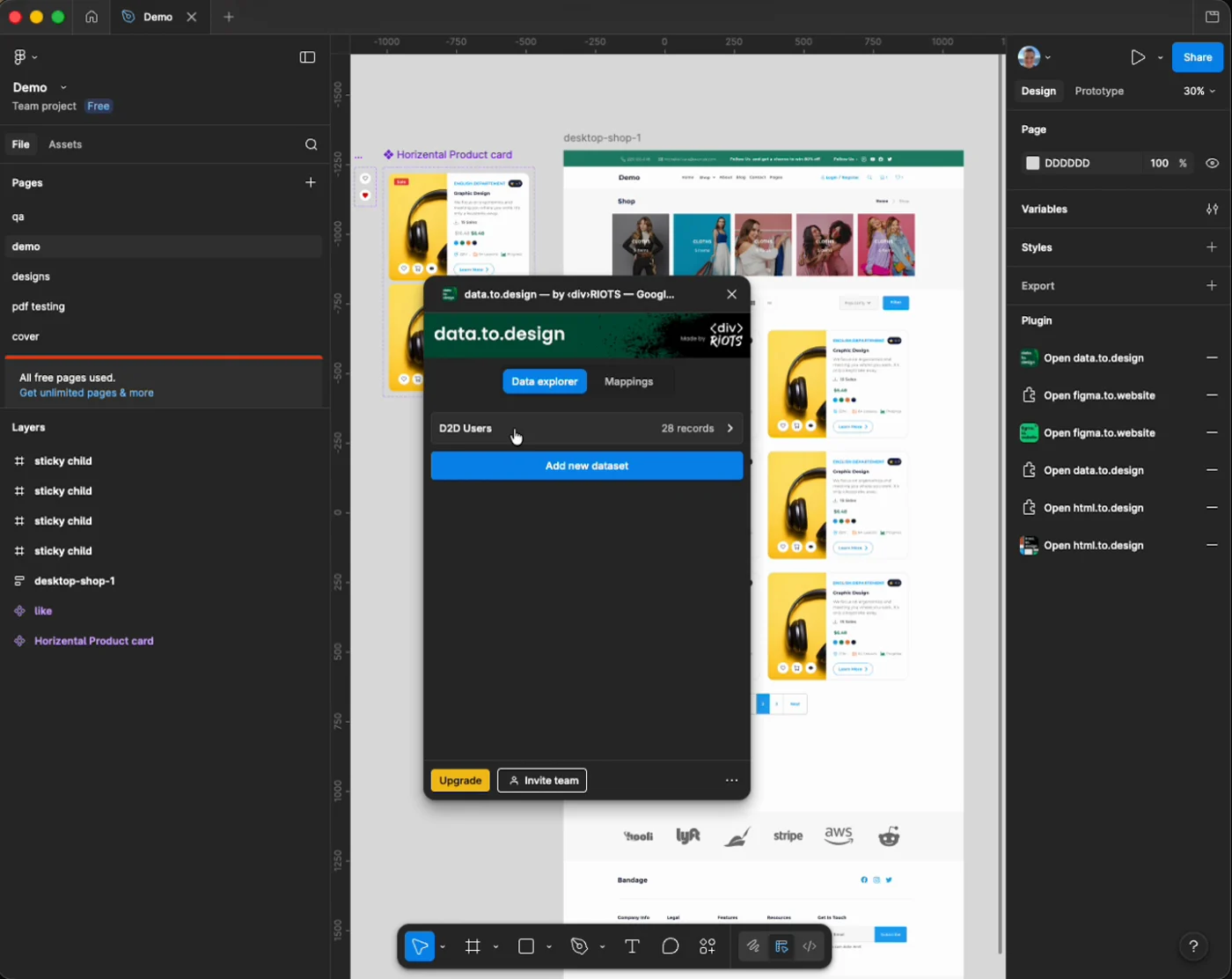
 image.to.design
I built image.to.design to import images into Figma and convert them into editable designs. It gives designers an editable starting point from an existing image, saving them from rebuilding the design by hand.
 ai.to.design
I built ai.to.design to generate editable designs from text prompts inside Figma. It turns a written idea into a design that the user can edit and develop further within their existing workflow.
 data.to.design
I built data.to.design to connect real content sources to Figma and map their data and images onto design layers. Designers can populate screens with actual product content, test different records, and see how a layout handles real information.
 psd.to.design
I built psd.to.design to import Adobe Photoshop PSD files into Figma with editable layers. It lets teams continue working on existing Photoshop designs in Figma without rebuilding the document from a flat image.
 office.to.design
I built office.to.design to import office documents into Figma as editable designs. Existing document content becomes a starting point for visual design work, reducing the need to copy and reconstruct it manually.
 Lorem Ipsum
I built Lorem Ipsum to fill Figma text layers with placeholder copy or fake data. Designers can populate a layout quickly and check how it works with content before the final copy is ready.
UI library contribution
Alongside product work, I contributed a merged change to the company’s public Figma plugin UI library.